Design Systems · USAA
Member Services Data Table Enhancement
- Role
- Design systems designer — sole owner of data table component
- Scope
- Component design, data interactivity, a11y, documentation, dev handoff
- Company
- USAA
- Team
- Reveille Design System
- User
- Internal agents (MSRs)
New sort and select interactions shipped to a 200-person design org — zero breaking changes
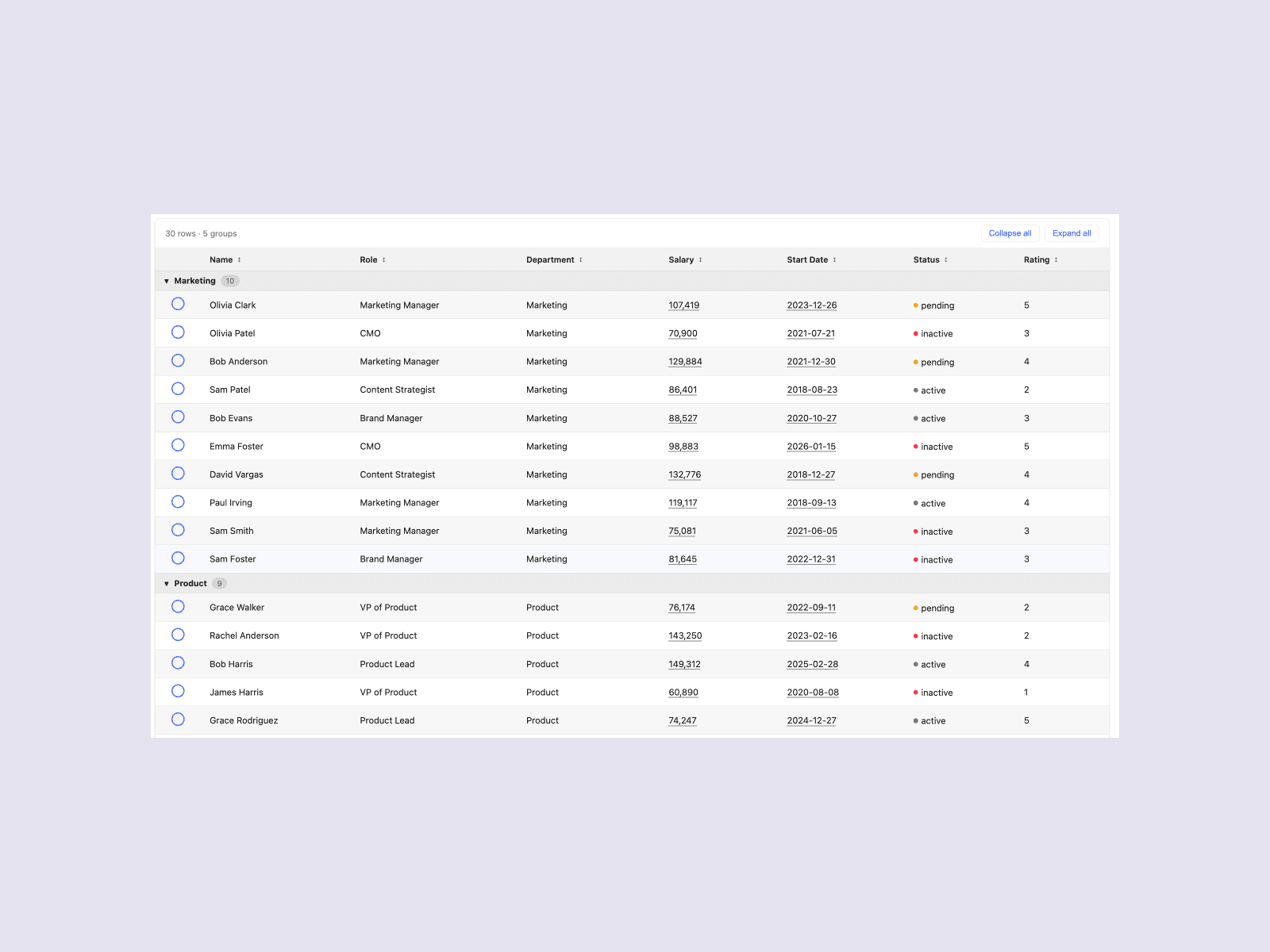
At USAA, Member Service Representatives (MSRs) handle member calls in real time. While a member waits on the line, an MSR needs to pull up account details, compare records, and take action — fast. As a Design Systems Designer on the Reveille Design System, I owned the rebuild of the data table component: the most load-bearing piece of UI in MSR workflows.
Use Cases
- Review account and policy details
- Compare records
- Take action while on live calls with members
the key issue
The existing table component worked for member-facing experiences — but MSR workflows had different demands. MSRs needed to sort, select, and act on dense data mid-call. The component didn't support that:
- No column sort — MSRs had to scan entire tables manually to find the record they needed
- No inline selection or row-level actions — agents couldn't act without leaving the table
- Teams were writing custom overrides to patch missing interactions, creating inconsistency across banking, insurance, and investment tools
For MSRs on live calls, these inconsistencies slowed decision-making and increased cognitive load.
4
Breakpoints
XL through mobile, tested with detail in Figma
5
Interactions
Missing from original: column sort, inline text edit, row collapse
15
Workflows
Relied on the same table component across banking, insurance, and investment tools
0
Deprecation
Primary goal — deprecation would lead to lots of manual rework
After understanding use cases and problem areas, I had to prioritize —
| Prioritization | Decision |
|---|---|
| Interactivity that would also benefit member-facing designs | Ran an informal poll in Slack on Reveille channel |
| Solutions that would impact the largest number of MSRs | Direct meetings with a select group of ~15 MSRs to deeply understand use cases |
| Changes that would improve clarity and usability at smaller breakpoints | Apply design heuristics and consult with a11y |
| Remain flexible enough for scalability and future-proofing for Reveille 3.0, yet avoid deprecation | Presented technical Figma-build strategy to internal Reveille team with property + variable level planning |
Core tensions
density vs. speed
MSRs needed more interactive control over their data, not less of it. The challenge was adding sort, select, and action affordances without bloating the component or forcing deprecations.
Key functionality
- Multi-column sort at the atomic layer, so teams could opt in without rebuilding templates
- Row-level select and inline actions for faster decision-making mid-call
- Accordion rows for progressive disclosure of dense nested data
future vs. present
Reveille 2.0 had not yet applied text variables. Future plans for Reveille 3.0 included auditing and adding them. The goal was to not deprecate the existing data table.
Key build strategy
- Added sort variants at the atomic layer — not the template layer — so existing implementations wouldn't break
- Built accordion as a companion component rather than a variant, keeping base table complexity low
- Ran property detach testing at every stage to guarantee zero breaking changes on release
What actually shipped?
Deliverables
- Updated table component anatomy with sort, select, and accordion variants in Figma
- Usage and accessibility documentation in ZeroHeight
- Developer-ready specs via Figma Dev Mode
- Validated in Chromatic Storybook; issues tracked via GitHub
Live component in Chromatic Storybook
See the data table in action — sort, select, and accordion interactions live.
Explore the data table →Outcomes
announce
Led product demo at monthly RDS demo and wrote release notes for Reveille newsletter
support
Attended Slack and office hours outside normal rotation to support questions specific to this component
document
Included detailed ZeroHeight documentation with use cases, accessibility and ‘to watch’ notes
0 deprecation
Ensured zero component breakage so adoption was immediately available on release to teams already using data tables
So what was the impact?
Outcomes
- Eliminated custom sort and select overrides across MSR Figma files
- Sort and inline action patterns adopted by member-facing teams as a byproduct
- Increase in non-detached component instances — teams adopted the new variants without migration work
- MSRs gained the ability to sort, select, and act on data without leaving the table mid-call
reflection
The most impactful changes to a design system look seamless and at first unnoticeable — but they remove friction from the moments where people feel it most.